
Métis is the digital training platform of Afpa, built on the Moodle foundation and interfaced with the internal information system. Authentication relies on an identifier linked to the agent code or trainee registration number, coupled with a password controlled by Afpa’s Microsoft portal. When the connection fails, the problem rarely lies with Métis itself, but rather in the upstream Microsoft authentication layer.
Why does a Métis Afpa password get blocked even before the login page?
Most users attempting to log in to their Métis Afpa account assume there is an issue on the platform side. The blockage actually originates from the Microsoft portal that manages authentication for all of Afpa’s digital services.
This portal enforces a hardened password policy with several cumulative constraints: minimum length, complexity (uppercase letters, numbers, special characters), prohibition of reusing an old password, and periodic expiration. As long as the password is not brought into compliance on the Microsoft portal, the connection to Métis will systematically fail.
The lockout also occurs after several unsuccessful attempts. In this case, even a correct password will be rejected for a duration defined by the security policy. Sometimes, waiting a few minutes before trying again is enough to lift the temporary block.
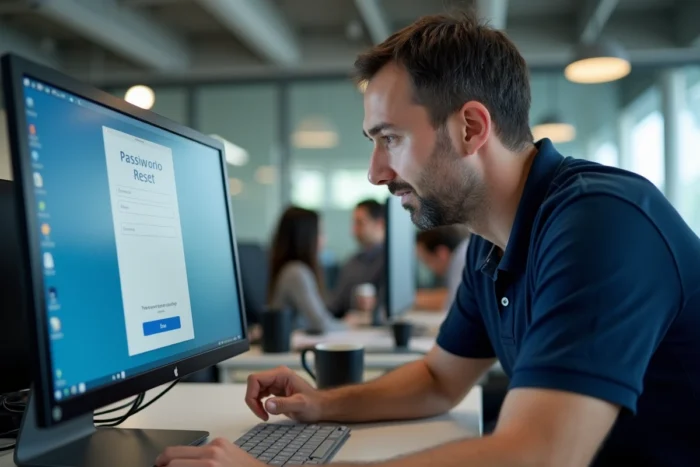
Password reset for Métis: the procedure on the Microsoft portal
The “forgot password” link on the page metis.afpa.fr redirects to the Microsoft portal. The procedure only works if the email address associated with the account is correct and accessible.
Concrete steps for the reset
- Access the Métis login page (metis.afpa.fr) and click on the reset link, which redirects to the Microsoft portal.
- Enter the identifier (agent code for trainers, registration number for trainees) and validate the request for a new password.
- Check the email inbox associated with the account, including spam and junk folders, to retrieve the reset link.
- Create a new password that complies with Microsoft requirements: a mix of uppercase letters, lowercase letters, numbers, and special characters, without reusing a previously used password.
If the online procedure fails (obsolete email address, unrecognized identifier), the Microsoft portal cannot resolve anything on its own. The issue then escalates to the account linkage in Afpa’s information system.
When online reset is not enough
An account poorly linked to a training program, an incorrect registration number, or a modified email address between two training sessions prevents the standard procedure from functioning. These cases require direct human intervention.
Digital referent at the Afpa center: the quickest contact for a blocked account
Each Afpa center has a digital referent identified as the primary contact for connection issues with Métis. This role exists specifically to address blocks that online support cannot resolve.
The referent intervenes on accounts linked to specific training programs. They can correct a misassociated registration number, reposition an account to the correct training session, or update an email address. For a blocked password, going through the digital referent is often faster than central support.
In practice, the referent is located in the training center where the course is taking place. Trainers and the center’s secretariat can direct you to this person. In case of urgency (access to an exam, submission of work on the platform), the referent has the most direct intervention capability.
Connecting to Métis Afpa from a personal device or a different browser
Some blocks have nothing to do with the password. The browser retains cached old authentication data that interferes with the connection.
- Clear the cache and cookies of the browser before attempting to connect again, specifically targeting the data from the domain afpa.fr.
- Test the connection in private browsing mode to eliminate any interference related to extensions or stored data.
- Try another browser: a corrupted profile on Chrome may work fine on Firefox, and vice versa.
On a computer at the Afpa center, previous sessions from other users may remain partially active. Closing all browser windows before opening a new session avoids authentication conflicts.

Access from a smartphone or tablet
Métis is accessible from a mobile browser, but some educational features display better on a larger screen. For the sole operation of resetting the password, a smartphone is sufficient. The address remains the same: metis.afpa.fr.
What to do if the Métis account remains inaccessible after all these steps
When neither the online reset, nor the digital referent, nor the change of browser has worked, the problem likely lies within Afpa’s central information system. An account may be disabled between two training periods, or the linkage to a new session may not yet be effective.
In this situation, the national technical support of Afpa takes over. The escalation follows a precise path: the digital referent of the center forwards the case to central support with the necessary information (registration number, relevant training, nature of the blockage). Going through the referent rather than contacting support directly speeds up processing, as the case arrives already qualified.
A Métis account that refuses any connection after reset almost always indicates an administrative linkage issue, not a forgotten password. Identifying this distinction from the start avoids wasting time on online procedures that will not resolve the real cause of the blockage.