A cover page for SVT is a printed or illustrated sheet placed at the front of a notebook or binder, identifying the subject, school year, and student. It serves both an organizational and personalization function: quickly finding the right material at a glance, marking the start of a new year.
Choose the right file format before downloading an SVT cover page
Most SVT cover page templates circulate in three main formats: PDF, Word, and image (JPEG or PNG). Each format serves a different purpose, and the choice determines what the student can modify after downloading.
A ready-to-print PDF file ensures that the layout remains the same regardless of the computer or printer used. Fonts, illustrations, and margins do not change. In return, customization is limited to coloring once the sheet is printed, unless one has a PDF editor.
A Word format file or equivalent allows for direct text modification: adding one’s first name, changing the subject title, adjusting the school year. This is the most flexible format for teachers who want to adapt a template for multiple grade levels without starting from scratch.
Image files (JPEG, PNG) mainly serve as visual inspiration or backgrounds to paste. Their resolution must be sufficient for a clear print on A4 paper. An image that is too small, stretched to fill the page, will produce a blurry result. To follow Mister Papa’s advice on the subject, prioritize files whose width significantly exceeds the screen display size.
Coloring or colored SVT cover pages: which type to print for free
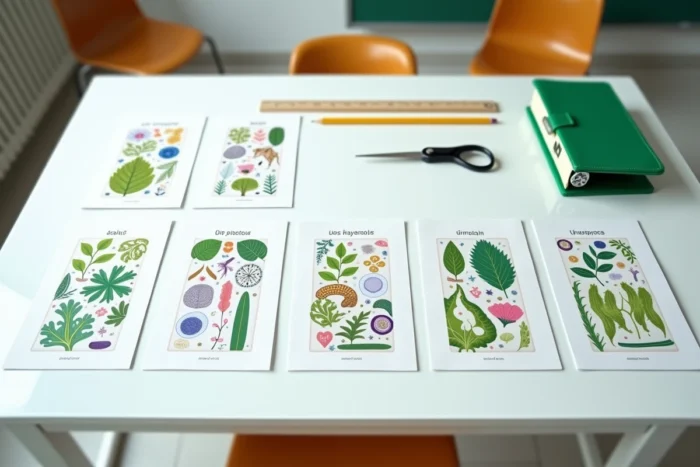
Free templates are divided into two main categories. Black and white SVT cover pages, designed to be colored, and already colored cover pages, ready to be slipped into a binder.
Coloring templates for middle school students
The coloring designs contain illustrations related to life and Earth sciences: cells, leaves, animals, microscopes, planets. The student personalizes them with markers or colored pencils. This type of cover page works particularly well at the beginning of sixth grade, where coloring remains a popular activity for personalizing notebooks.
Printing in black and white is cheaper and works on any home printer. This is a practical argument when preparing multiple cover pages for all subjects of the school year.
Ready-to-use colored templates
Colored SVT cover pages rely on palettes associated with nature: greens, browns, blues. The illustrations are already finalized, and the result is immediate. The downside: a color printer or a trip to the store for printing. Standard paper absorbs a lot of ink on solid colors, which can warp the sheet.
For a clean result, use a higher weight than standard office paper. A thicker sheet absorbs ink better and withstands handling in a binder throughout the year.
Adapting SVT illustrations to the new focuses of school programs
SVT cover pages traditionally use a fixed visual vocabulary: double helix of DNA, skeleton, test tubes. These illustrations remain relevant, but they only reflect part of the subject as it is taught today.
Eduscol has announced changes to the cycle 4 programs, applicable from the start of the 2026 school year, with a stronger emphasis on the environment, health, and citizenship. These focuses are not new, but their place in the teaching of SVT is becoming central rather than peripheral.
Specifically, a cover page that incorporates illustrations related to local biodiversity, climate, or public health will be more aligned with the actual content of the courses. Here are some illustration ideas to look for in free templates:
- Representations of ecosystems (forest, reef, wetland) rather than isolated test tubes, to cover the environmental aspect of the program
- Pictograms related to health (nutrition, physical activity, hygiene) that correspond to health education sequences integrated into SVT courses
- Geological elements (rocks, volcanoes, sedimentary layers) that remind of the “T” in Earth, often underrepresented on available cover pages online
Teachers using Word templates can add these elements themselves by inserting royalty-free clipart. For students, choosing a coloring template with these themes allows them to start the year by visualizing the real diversity of the subject.
Organizing SVT cover pages by grade level and notebook
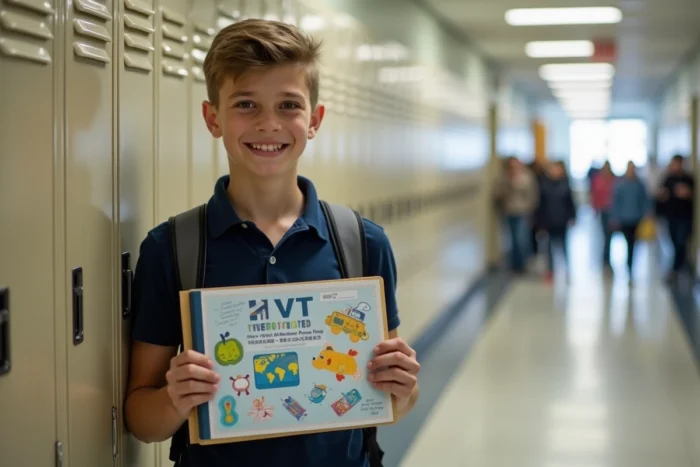
A sixth-grade student and a ninth-grade student do not use the same materials. The flexible binder, the large notebook, the display book: each format requires a different size of cover page. Most templates are designed for standard A4 format, but some practical work notebooks use a slightly different size.
Checking the exact format of the notebook or binder before printing prevents discovering at the time of pasting that the page overflows or leaves an unsightly white margin.
For teachers managing multiple levels, preparing a single Word template with editable fields (name, class, school year) saves time. It’s enough to change the text and reprint for each class, without altering the layout or illustrations.
- In sixth and fifth grades, prefer designs with large coloring areas and recognizable illustrations (animals, plants, cells)
- In fourth and third grades, opt for more subdued cover pages with scientific diagrams or geometric patterns inspired by biology
- For practical work notebooks, reduce the print to the upper half of the page if the notebook is smaller than standard A4
The SVT cover page remains a simple support, but its effectiveness depends on practical details: the right file format, suitable paper weight, illustrations consistent with the program. A well-chosen and properly printed template lasts throughout the school year without degrading in the binder.